How to track your Career Mode save, step by step
From a new save to a full club history in four steps: create it, load the squad, log each match, close the season. Free, on your phone or PC.
Free to start. No spreadsheet. Works in your browser.
What is a Career Mode tracker?
A Career Mode tracker keeps the record of a FIFA or EA Sports FC save that the game does not: every result, every transfer and its fee, how each player grew and the trophies you won, season after season. Career Mode (careermode.xyz) is a free tracker built for exactly this. It runs in the browser on phone and PC, loads the real squads of 750+ clubs, and turns what you log into season reports, club records and a Hall of Fame.
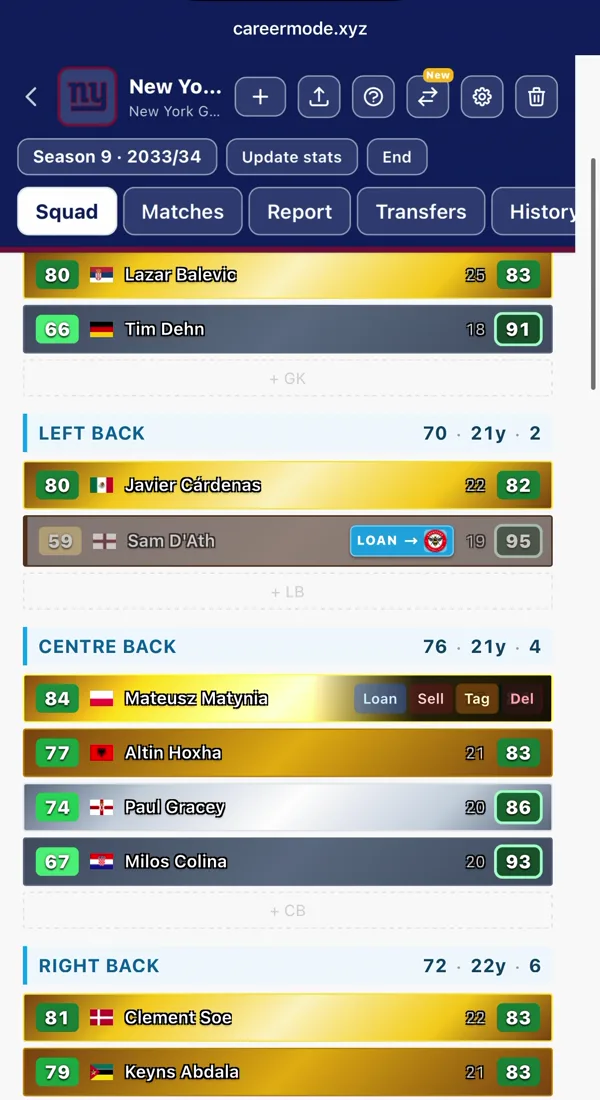
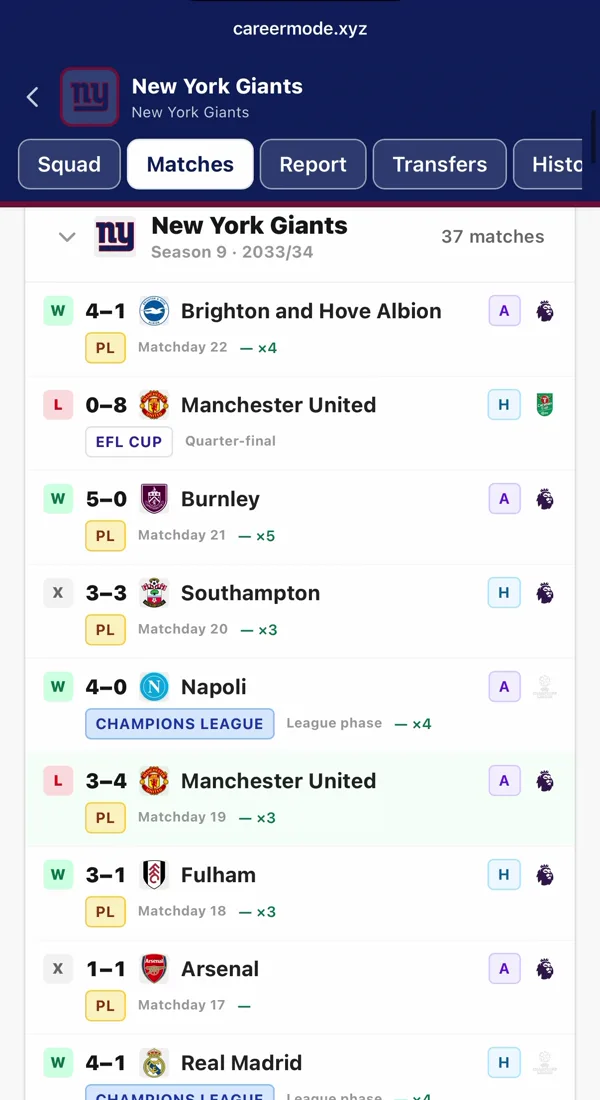
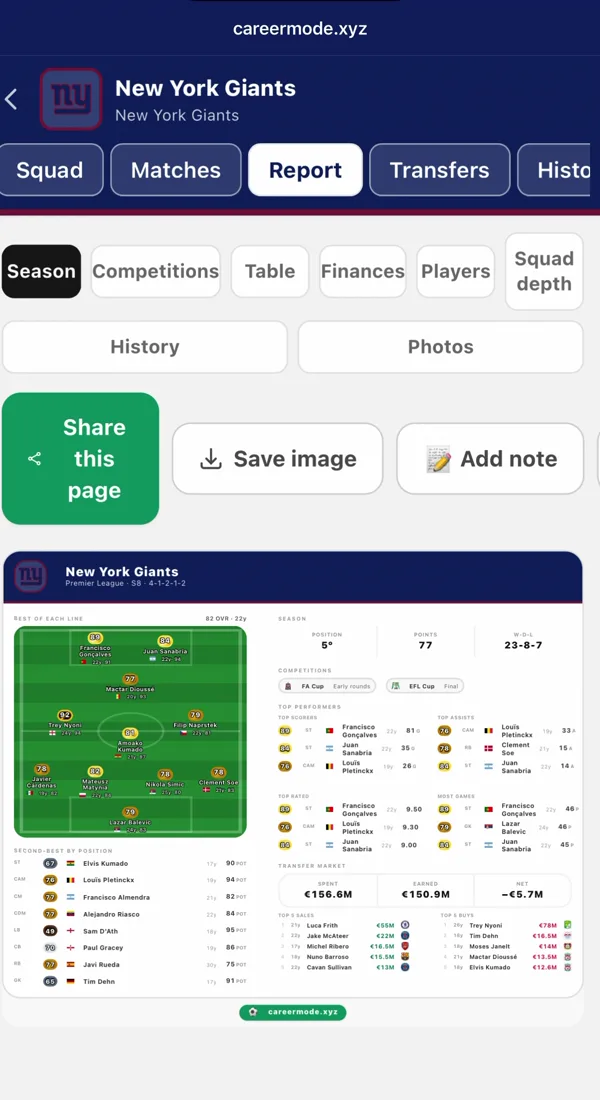
Track a Career Mode save in four steps
Create the save
Sign up free and start a new career. Pick your club, the game you play (any edition from FIFA 05 to EA FC 27) and the season you start in. Then choose how much to log: every match, or only each season’s results.
Load your squad
For 750+ clubs the real squad loads in one click, ratings and potential included, and an older edition loads the squad the club had that year. A created club or a modded save? Import your players from a CSV or add them by hand. On PC, Pro can also build the squad from your career save file (beta).
Log each match
After a match, add the score, the lineup, the scorers and the assists. It takes about a minute, and player stats, form, head-to-heads and club records update from it. Signings, sales and loans go in the Transfers tab as you make them.
Close the season
When the season ends, press End season and say where you finished in the league and each cup. The season report is made for you, every player’s season is kept for their growth graph, everyone turns a year older and the next season opens.
What builds itself while you play
Player growth
A graph of each player’s rating across seasons, from academy prospect to first-team regular.
Club records
Top scorers, most assists and your best seasons, kept up to date as you log.
Trophy cabinet
Every league title and cup, season by season. It never resets.
Hall of Fame
The legends you induct, and an all-time Best XI drawn from every save you have.
Frequently asked questions
How long does it take to track a save?
A couple of minutes to set up, because the squad loads for you. After that, about a minute per match, or a few minutes per season if you only log each season’s results.
Do I have to log every match?
No. When you create the save, choose “Season by season” and enter each season’s results and player stats in one go instead. You can switch to match by match later in the squad settings.
Is the Career Mode tracker free?
Yes. Two manager saves and one player save are free, with no credit card. Pro, from €1.99 a month or €5.99 a year, removes the save limit and adds the deep stats, the full club history and shareable reports.
Can I track a player career too?
Yes. Next to manager saves there is a player career save: your own player’s clubs, games, goals, assists and trophies, season by season.
Does it work on my phone?
Yes. It runs in the browser on iPhone, Android and PC, and the same save is on all of them, so you can keep it open on your phone next to the console.