The career mode spreadsheet, replaced
Keep your columns (name, position, overall, potential, value, wages) and import them. Everything you were building formulas for is already there.
Free to start. No spreadsheet. Works in your browser.
Why replace a career mode spreadsheet?
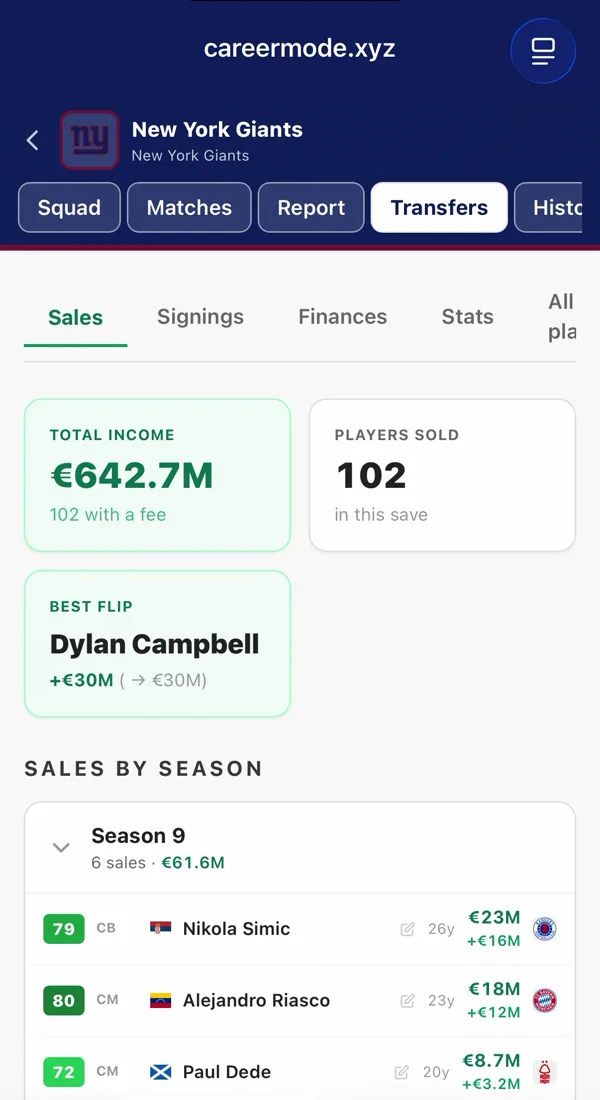
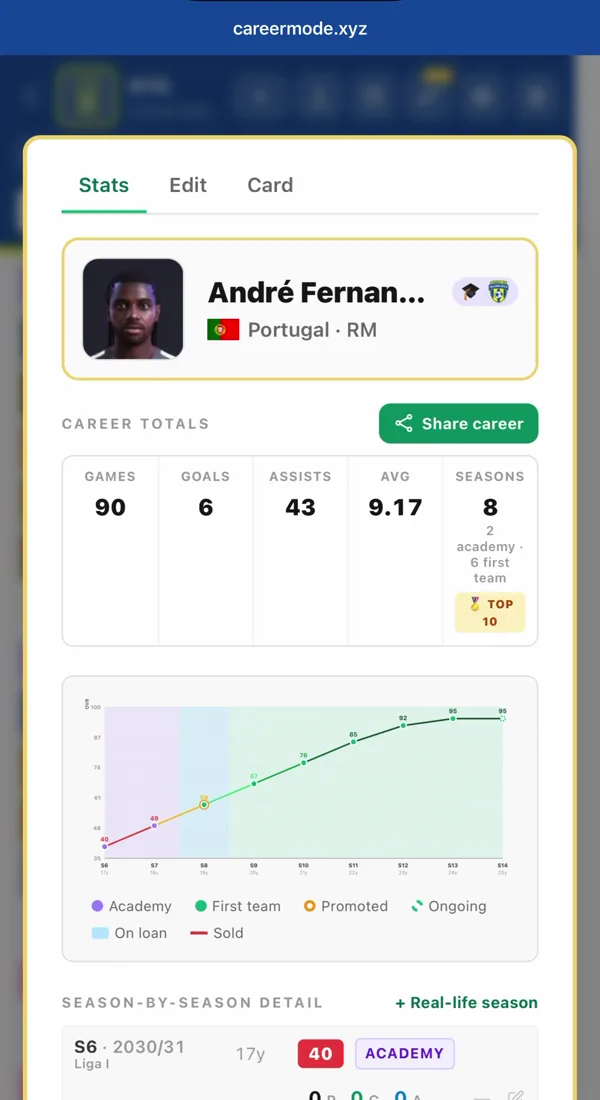
Most career mode players start with a spreadsheet: a tab for the squad, one for transfers, one for seasons, and formulas that break when a player moves. Career Mode (careermode.xyz) is a free web app that replaces the sheet with a tracker built for it. Positions, ratings, potential, fees, results and trophies are already structured, club crests and colours load on their own, and player growth becomes a graph instead of another column.
Spreadsheet or tracker?
| Spreadsheet | Career Mode | |
|---|---|---|
| Setting up | Build the tabs, columns and formulas | Pick your club; its real squad loads |
| Player growth | A new column every season | A graph per player, season by season |
| Transfers | Type the fees, sum them yourself | A ledger with spend, income and net balance |
| Match stats | Count goals and assists by hand | Log a match; totals and records update |
| Trophies | Another tab | Trophy cabinet, club records and Hall of Fame |
| On your phone | Fiddly to edit | Made for the phone next to the console |
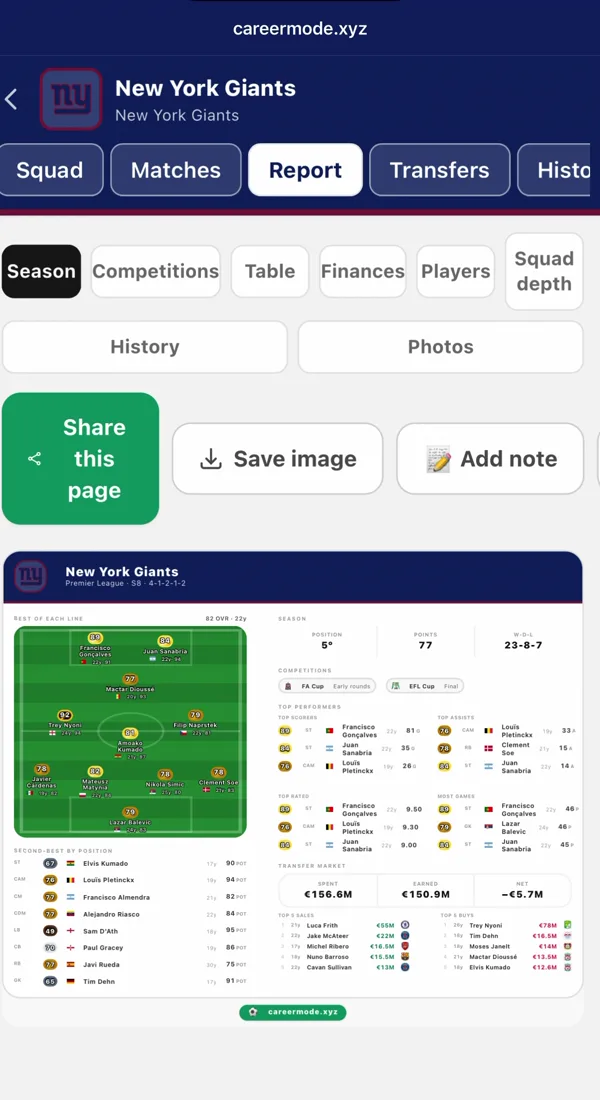
| Sharing | Screenshots of cells | Season reports and player cards as images |
| Price | Free | Free for two saves; Pro from €1.99 a month |
Import your spreadsheet as a CSV
In your save, open the squad menu and choose Import from CSV. Download the template there, or save your own sheet as CSV with these columns:
name, country, age, overall, potential, position, other positions, value usd, value eur, value gbp, contract length, wages usd, wages eur, wages gbp, height, weight, preferred foot
Only three columns required
Name, position and overall. Age, country, potential, value, wages, contract, height, weight and foot fill in when they are there.
Positions as the game writes them
GK, CB, CDM, CAM, LW, ST… or the Spanish codes (POR, DFC, MCO…), with several other positions in one cell: LM | CM | LW.
Your currency, not converted
Market value and weekly wages in USD, EUR or GBP. The column in your save’s currency is used, and nothing is converted.
Straight from Excel or Sheets
Columns in any order, headers in English or Spanish, comma or semicolon separated. Up to 100 players at a time, previewed before anything is saved.
The CSV import is free on every save.
Frequently asked questions
Can I import my existing spreadsheet?
Yes, for free. Save it as CSV with the template’s columns (only name, position and overall are required), then choose Import from CSV in your save’s squad menu: up to 100 players at a time, previewed before they are saved. Picking a real club also loads its squad for you, and on PC, Pro can build it from your career save file (beta).
Do my columns have to be in the same order?
No. Columns can be in any order, headers are matched ignoring case, accents and spaces, and Spanish headers work too (nombre, media, potencial, posición). Columns it doesn’t know are skipped.
What does it track that my spreadsheet doesn’t?
Out of the box: player growth graphs across seasons, a trophy cabinet per competition, club records (top scorers, most assists, best seasons), a Best XI drawn on a pitch, FUT-style player cards, and a Hall of Fame across all your saves.
Is it really free?
Yes. Two manager saves and one player save, with squad, academy, transfers, seasons and trophies, are free. Pro, from €1.99 a month or €5.99 a year, removes the save limit and adds the deep stats, the full club history and shareable reports.
What happens to my data if I stop playing?
It stays in your account. That is the point: when you come back for the next FIFA / EA FC, your whole career history (every transfer, trophy and wonderkid) is still there.